01
Make a hive
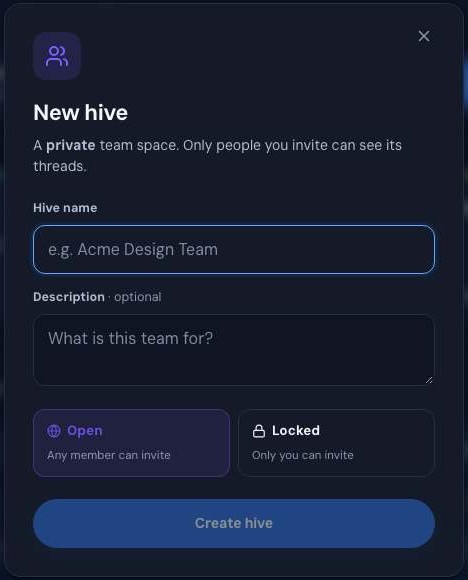
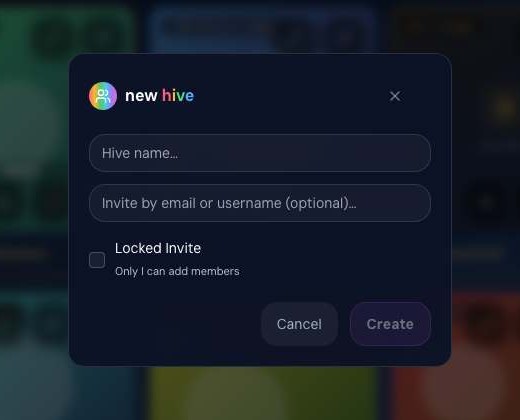
Give it a name and a line about what it's for. Choose Open, so any member can invite, or Locked, so only you can.

 thinkhive
Shared spaces and private team hives with shared folders. Invite your people, share the work, and keep it between you.
thinkhive is live inside thinkjoin today. Its own home is on the way.
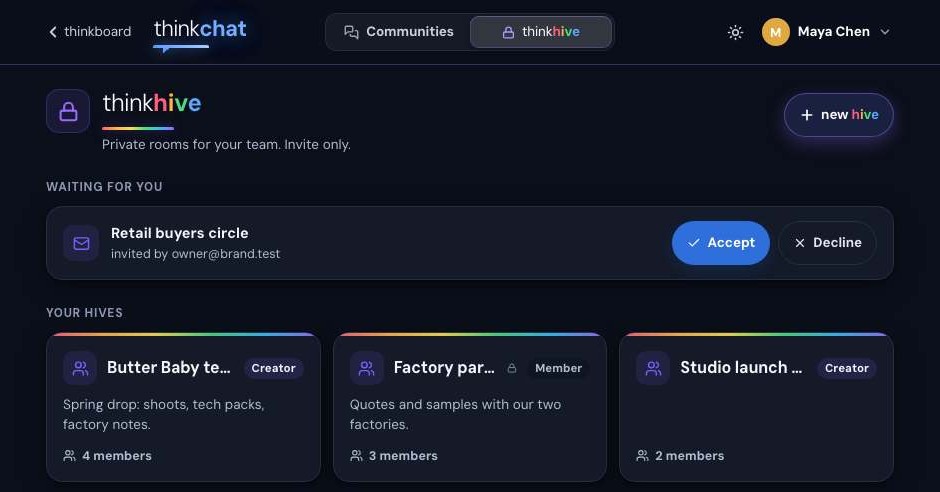
A hive is one place to share and work together: a private room of threads, or a shared folder in your library. Or both.
Give it a name and a line about what it's for. Choose Open, so any member can invite, or Locked, so only you can.
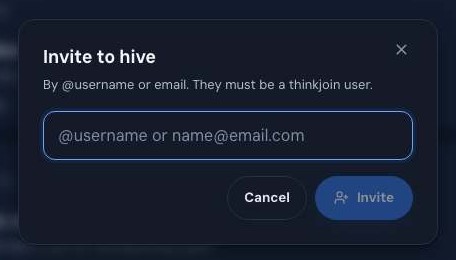
Add people by @username or e-mail. Their invite waits for them in one place, where Accept joins the hive and Decline removes it.
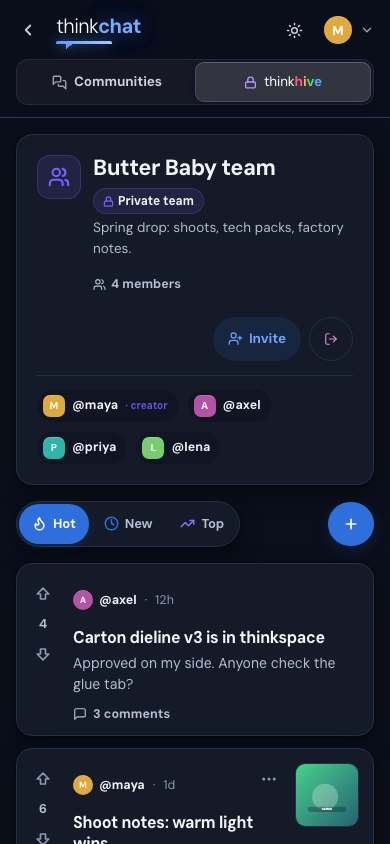
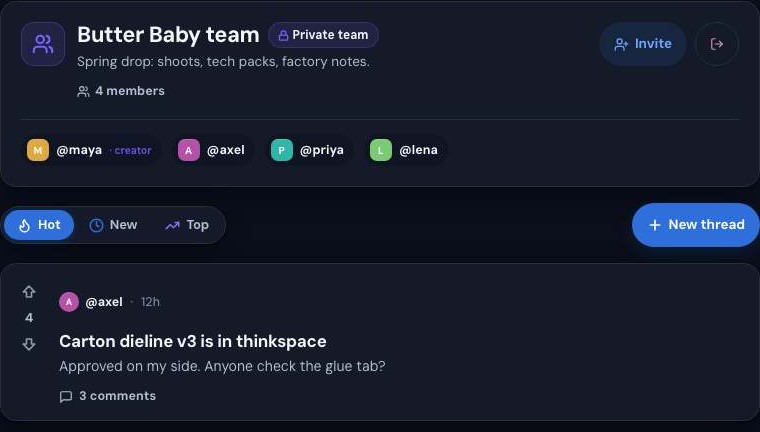
Post threads, vote, comment and attach files. Tap the member count to see everyone inside; the creator is marked.
A library hive is a shared folder your team adds work to. On any piece of work, press ⋯ then Add to a hive… and everyone in it has it.
Steve is the mind behind every thinkjoin room. Ask him for a hive folder and he makes it for you. Nothing happens until you press his card.
 Steve
A hive's threads are seen by its members, and no one else.
Let any member bring people in, or keep the door yours.
Rooms and shared folders, one list, in Settings › Hives.
What Steve makes for you lands on the thinkspace shelf, right under your hives.
Until then, your hives are ready and waiting on thinkjoin.com.